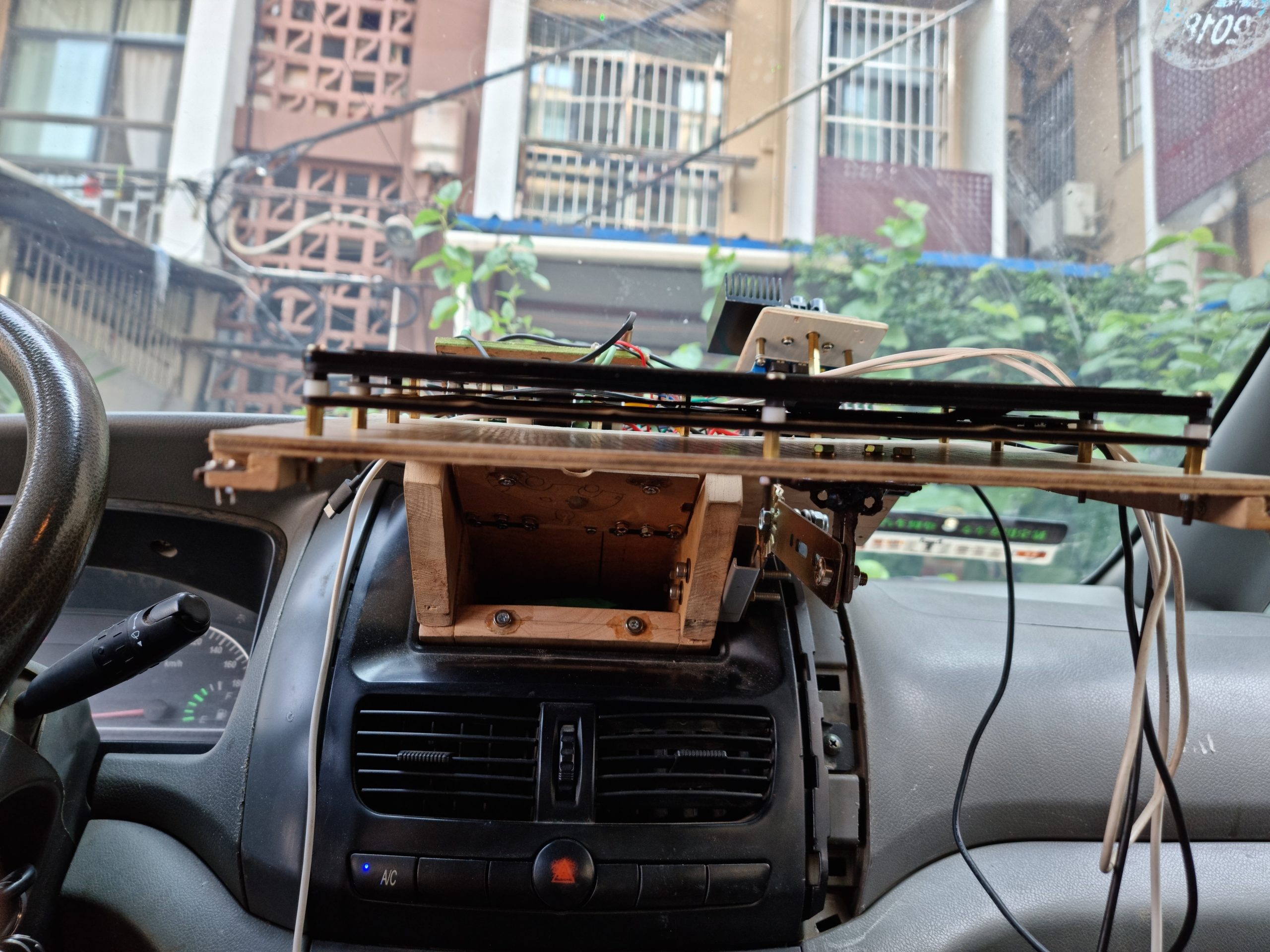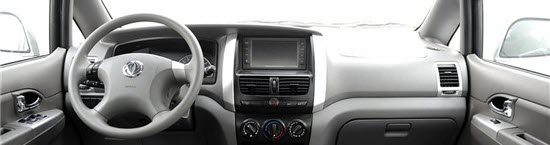
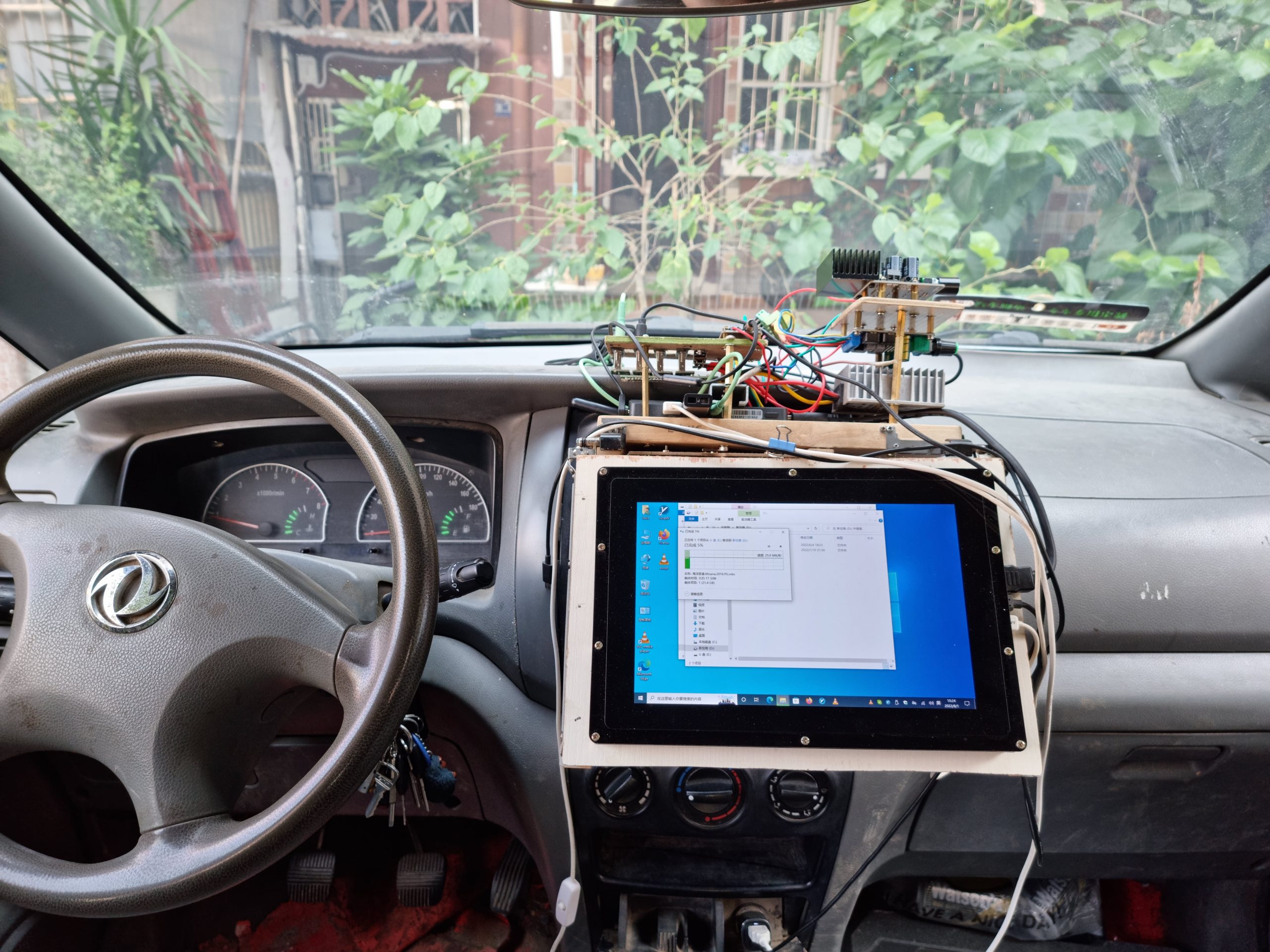
Dongfeng Shuaike, my car computer had been broken for two years, and I finally managed to make one: Windows 11 Arm64 + Raspberry Pi 4B.

Original factory

diy
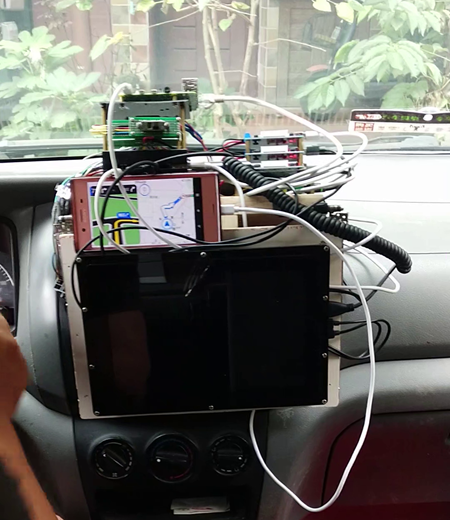
Implemented features:

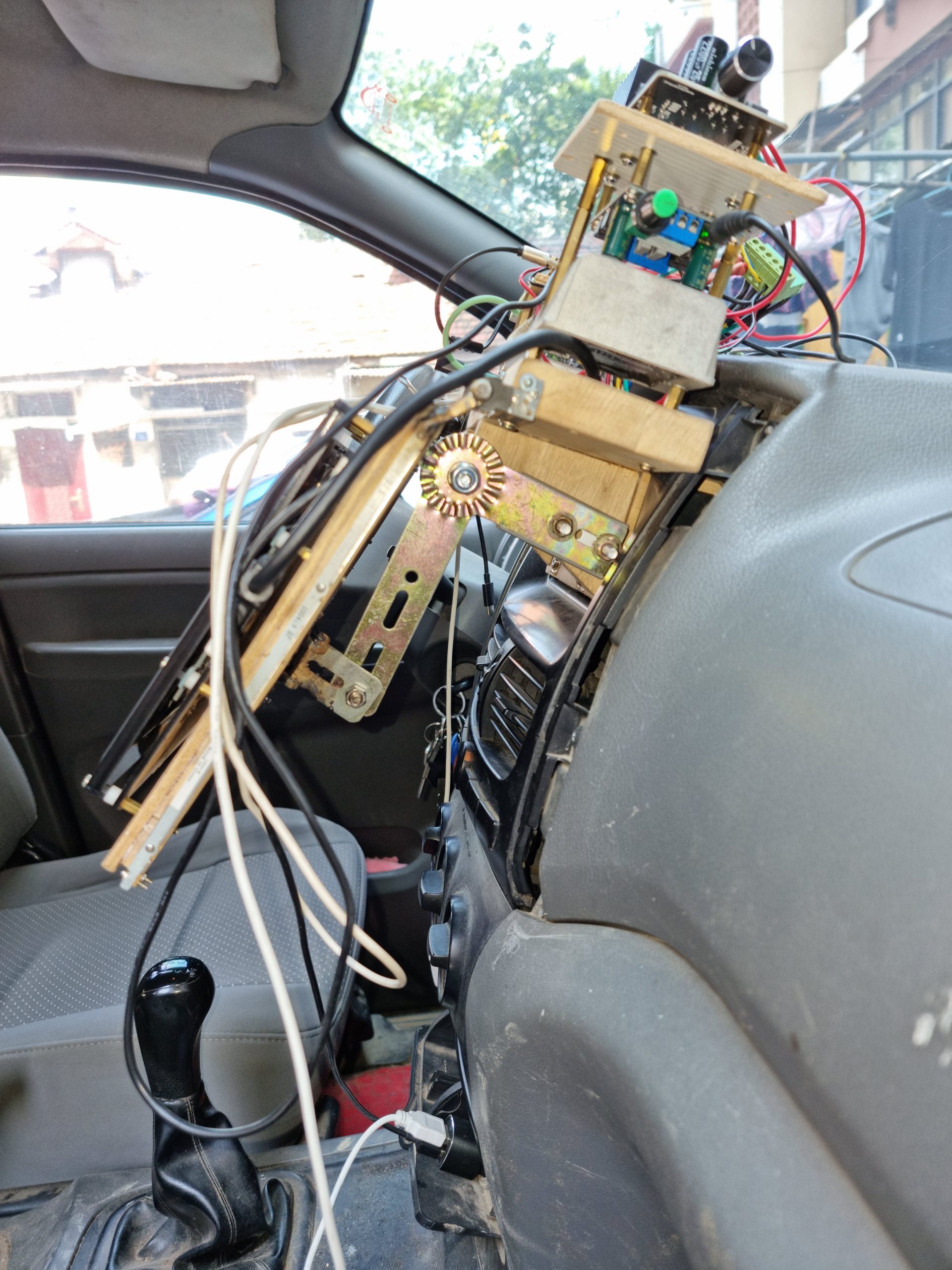
  1. The electronic module is external, and the original machine position has been converted into storage space
  2. The screen is a 10.1-inch capacitive display. Weixue's screen does not support lineageOS.
  3. Windows system. Comparing Ubuntu, Rasbian, and Android [a well-known lineageOS by a foreign open-source group], I feel that Windows 11 ARM64 runs the smoothest, and currently, no car computer uses Windows

Modules:

  • Screen * 1
  • Raspberry Pi 4b * 2 units: one for installing the system, the other for routers. The Raspberry Pi 4b 8GB RAM version is the operating system, and the Raspberry Pi 4b 2GB RAM version is used as a router.
  • Amplifier module *1
  • Power modules * 3 step down the car's 12V voltage to 5V3A, supplying power to the Raspberry Pi motherboard and screen respectively
  • Switch modules use pegboard flywire

Other structural components are all recycled from waste, such as:

  • The shell of the storage space is made from leftover wooden boards used by industrial design interns at school
  • The Raspberry Pi 3B's support plate is cut from scrap acrylic sheets
  • The screen's support structure is made by removing the screen from a scrapped laptop

Problems and solutions

I compared Raspbian Arm32, Ubuntu 21.04 Arm64, and Windows 11 Arm64. Windows is still the smoothest, but since Windows isn't officially released and was modified from a preview by a foreign expert, it doesn't have preset WiFi drivers, so it doesn't support wireless network cards. To solve this problem, I flashed an OpenWRT router for a Raspberry Pi with 2GB of RAM, connected WiFi to the phone's hotspot in client mode, bridged it to the Ethernet port, and connected Windows via the Ethernet port.
update 2021.7.31.

bug:

Cutting off the power directly during shutdown causes this

1. A Windows 11 application configuration file is missing

2. The OpenWRT SD card on the Raspberry Pi 3B is set to read-only, so next time you power it on, you can't connect to the phone's hotspot or modify the configuration

The above issues are all determined to be caused by non-secure shutdowns. Solutions:

1. Enable ssh login with the root account of OpenWrt, using both public and private keys without passwords. This allows you to use the SSH command from the command line to log in without passwords, suitable for batch processing.

2. Use the PowerOff command to remotely shut down OpenWRT. During the attempt, it was found that the process of closing openwrt was very lengthy, so subsequent batch processing needed to check whether openwrt had been closed. If you don't check, Windows will lose control over OpenWrt after shutting down

3. To check whether openwrt was successfully closed, I used the ping command and checked if the echo contained a TTL string. If ping was possible, the echo string contained TTL; if the ping was different, TTL was not included.

4. After openWRT is disabled, batch processing closes Windows 11.

The script code is as follows:

rem @ echo off
title poweroff monitor
set ip=192.168.1.1
ssh root@%ip% poweroff

:p
timeout /nobreak /t 5
ping %ip% | find “TTL”
if %errorlevel% == 0 (
echo remote poweroff failed
goto p
)

echo remote poweroff success, shutdown local immediately
timeout /nobreak /t 3
shutdown /t 0 /f /s

Finally, batch execution shuts down and requires administrator privileges, which wasted me over an hour.

update 2022.7.30.

Recently, there was a major upgrade:

  1. Raspberry Pi4B replaced with Celeron J4125. Mainly to achieve high-definition decoding for video playback. Raspberry Pi cannot play 4K videos, but x86 runs very smoothly
  2. The power management section has been replaced with a unified DC12v to DC5V power converter. Reduces space occupation, streamlines and orderlines, making maintenance and management easier
  3. Four USB power ports: two for the main unit and monitor, and the remaining two for future expansion
  4. A stand has been added below the screen to prevent bumps during driving, keeping the screen stable